Deposit Software Versus Invoices
Deposit software versus invoices: see which works better for bookings, cash flow, and fewer no-shows for service-based businesses.
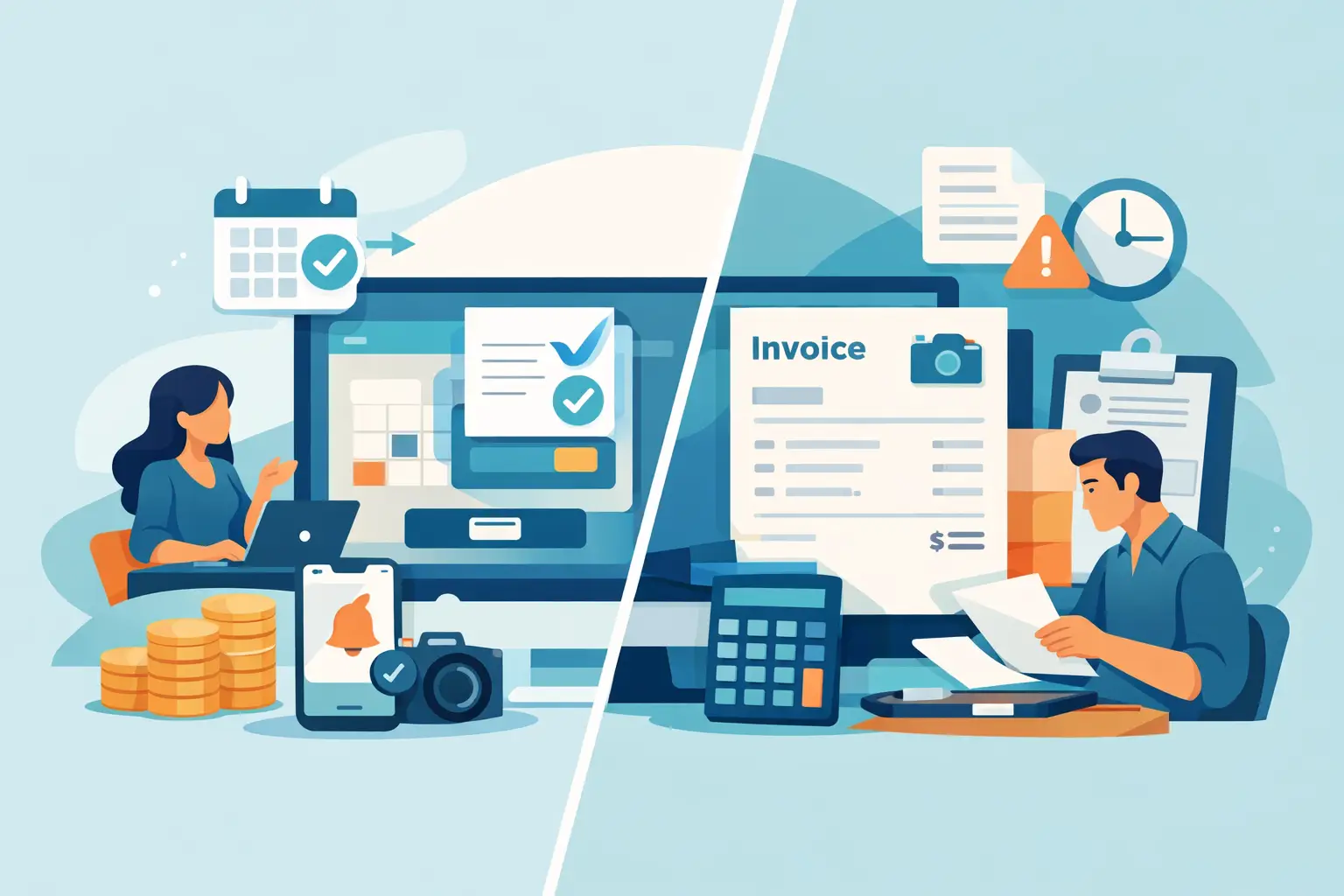
A client says yes, wants your next open slot, and asks you to send something over. That moment sounds simple, but it is where a lot of bookings start to slip. When you compare deposit software versus invoices, the real question is not just how to get paid. It is how to turn interest into a confirmed appointment without extra back-and-forth.
For appointment-based businesses, timing matters. A photographer holding a weekend session, a beauty professional saving a high-demand spot, or a service provider blocking off part of the day is not just waiting on payment. They are reserving income-producing time. That is why the difference between sending an invoice and using a deposit-first booking flow matters more than it might seem.
Deposit software versus invoices: what changes in practice
An invoice is usually a request for payment sent after details have already been discussed. It can work well when the job is custom, the scope may change, or the client relationship is already established. But for appointment bookings, invoices often add one more step between interest and commitment.
Deposit software is built around a different sequence. Instead of manually confirming details, sending a payment request, checking whether it was paid, and then following up, the client books and pays the deposit as part of the same flow. The appointment is not loosely discussed. It is secured.
That sounds like a small operational difference, but it affects three areas that matter to small service businesses every week: speed, reliability, and client experience.
With invoices, the process can stall. A client may say they are ready, then leave the invoice unopened for two days. They may mean to pay later and forget. They may assume the spot is held anyway. Meanwhile, your calendar stays in limbo.
With deposit software, the payment step is tied directly to booking. The client chooses a time, pays the required amount, and receives confirmation. There is less room for uncertainty, and less admin for you.
Why invoices still work in some cases
This is not a case of invoices being bad and deposit software being good. It depends on what you sell.
Invoices are useful when pricing is flexible, when services are billed after delivery, or when a client needs a custom quote before committing. If you offer large projects, multi-part packages, or services that change based on consultation, invoicing can be the cleaner option. It gives you room to define terms and request payment against a specific amount.
Invoices can also feel familiar. Many small businesses start there because it is simple to understand. You complete a discussion, send a bill, and wait for payment. If your volume is low and your clients are responsive, that can be enough.
The issue is that appointments are not just billable items. They are reserved blocks of time. If an unpaid invoice is sitting in someone’s inbox, that reserved time is still exposed to cancellation, delay, or no response.
Where deposit software usually fits better
Deposit software tends to make more sense when your business depends on scheduled appointments, limited availability, and a polished booking process.
If you regularly hear things like “Can you hold that time for me?” or “I’ll pay later today,” you are dealing with commitment gaps, not just payment gaps. A deposit closes that gap by asking for a smaller upfront payment at the moment of booking.
That model is especially practical for businesses where no-shows or last-minute cancellations create direct losses. You are not only trying to collect money. You are trying to protect your calendar and reduce the chances of empty time slots.
It also changes the client mindset. An invoice can feel like a task to get to later. A deposit feels like part of securing the appointment. That difference often leads to faster decisions and fewer unconfirmed bookings.
The client experience is not a small detail
Many business owners think about payment tools as back-office systems. Clients do not see them that way. Clients experience the process directly.
When booking requires multiple messages, a separate invoice, and manual confirmation, the process can feel fragmented. Even if the client is willing to pay, they have to do more work. More steps usually mean more drop-off.
A deposit-based booking flow feels more finished. The client can move from interest to confirmation in one sequence. They know the appointment is booked, they know what they paid, and they know what happens next. That creates trust.
For premium service businesses, that matters. A polished booking experience supports the quality of the service itself. It tells clients you are organized, clear, and easy to work with before they even arrive.
Deposit software versus invoices for cash flow
Cash flow is another point where the two models behave differently.
Invoices often delay revenue. Even when clients fully intend to pay, payment happens after the discussion, and sometimes after reminders. If you rely on invoices for appointments, you may find yourself chasing small balances before the work even begins.
Deposits bring in at least part of the revenue upfront. That does not solve every cash flow issue, but it creates earlier commitment and more predictable incoming payments. For solo operators and small teams, that can make weekly scheduling less stressful.
There is also a psychological benefit. A deposit helps separate real bookings from tentative interest. When someone pays to reserve a spot, the booking becomes more reliable. That lets you plan your calendar with more confidence.
Admin time adds up quickly
The hidden cost of invoicing for appointments is often not the fee collection itself. It is the time around it.
You send the invoice. Then you check whether it was opened. Then you answer a text asking whether the appointment is still available. Then you follow up because the payment has not arrived. Then you manually confirm the booking once it does.
Each step is manageable on its own. Together, they create friction that repeats every week.
Deposit software cuts down on that repeat work by combining booking, payment, and confirmation. When reminders are built into the same flow, there is even less manual follow-up. That is especially useful for small businesses that do not have an admin team and do not want to spend evenings chasing confirmations.
What to consider before choosing one
If you are deciding between deposit software and invoices, start with the shape of your business rather than the payment tool itself.
Ask how often you hold time before payment arrives. Ask how often clients need reminders before they commit. Ask whether your service is usually a defined appointment or a custom project. The more your business depends on reserving time slots, the stronger the case for deposits becomes.
You should also think about the size of the commitment. Some clients are more comfortable paying a reasonable deposit upfront than settling a full invoice before the appointment. That can improve conversion while still protecting your time.
And consider your brand experience. If you want clients to move through a clear, professional process without confusion, a booking flow built around deposits often feels more natural than separate messages and payment requests.
A simple rule for appointment-based businesses
If the booking is the product, deposit software usually fits better. If the work is custom and the final amount needs to be defined first, invoices may still be the right tool.
That is the cleanest way to think about deposit software versus invoices. One is designed to confirm and protect time-based bookings. The other is designed to request payment for an amount due. Those are related jobs, but not identical ones.
For many service businesses, the real upgrade is not replacing one payment method with another. It is removing the gap between client interest and paid confirmation. When booking, deposit collection, and reminders happen in one place, the process feels easier for the client and lighter for the business owner. That is one reason tools like Revenue Studio are built around the booking moment, not just the transaction.
If you are still relying on invoices for appointments, it may be worth looking at where bookings stall, where follow-up piles up, and where your calendar stays uncertain longer than it should. The right system is the one that helps clients commit while protecting your time without adding more work.